
Free poses are here. All 117 Cue poses are now free to download. Download all poses ↓
Paid for Cue poses before? You’ll get early access to Cue Studio, free. Own Cue Complete? Cue Loader is free for you too, so watch your inbox before buying. Questions? Email support@shootwithcue.com.
Cue Loader is live on iPhone and Android. Free to try, no subscription, and $29.99 at launch.
Cue
Your phone, on your camera
Cue Loader · iPhone & Android
Your references.
On your camera.
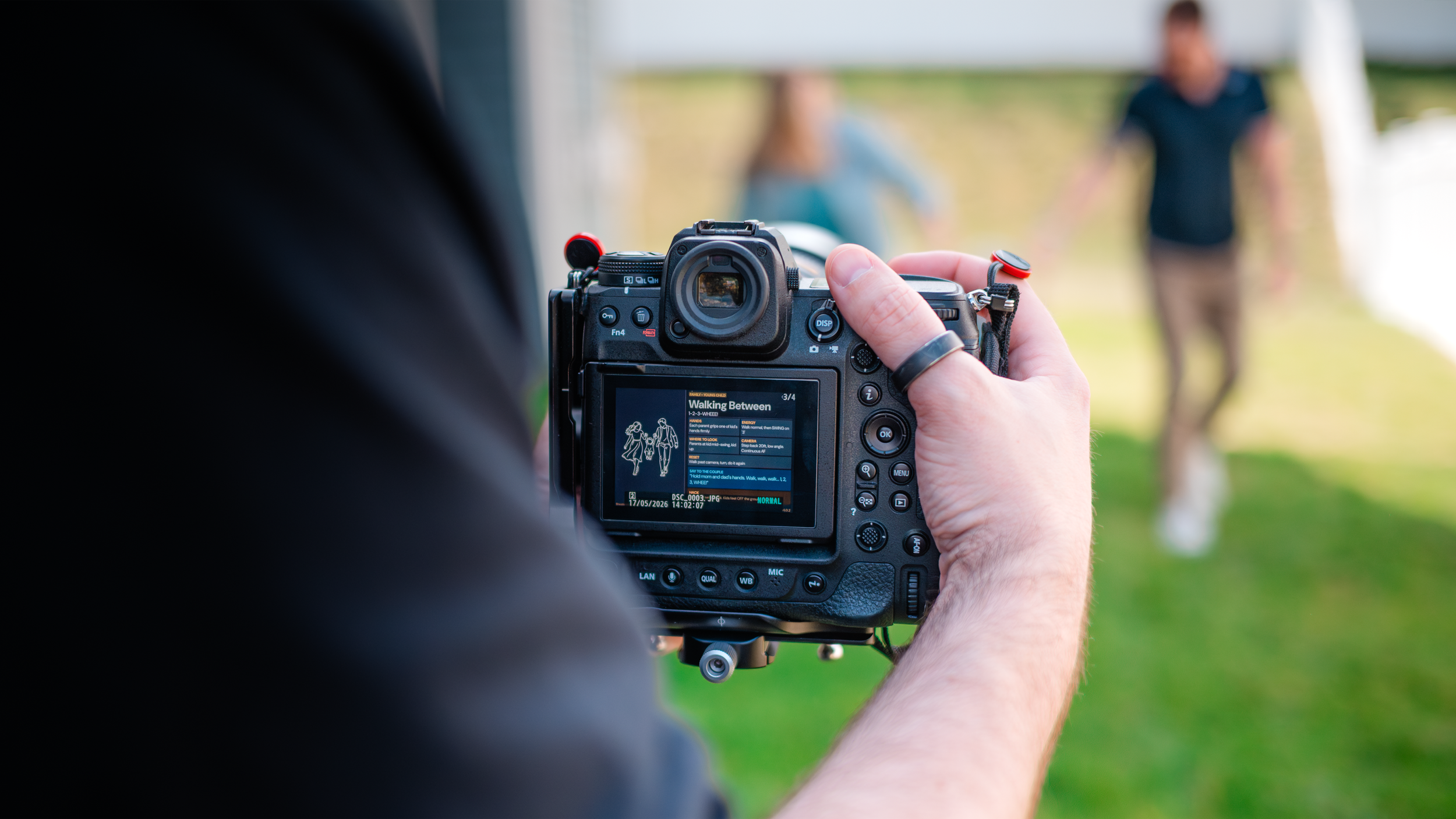
Load references from your phone onto your camera’s memory card, so you can check your camera—not your phone—during a shoot.
Pose ideas, shot lists, lighting examples, client mood boards and Notes. View them in your camera’s Playback, just like your photographs.
Start free
NO SUBSCRIPTIONYour Contact Card, plus up to eight Cue Cards in one category. Use your own images, screenshots or Notes.
Free Cue Cards lock after their first load. Your Contact Card does not count toward the limit.
One-time Purchase
$29.99 USDRemove the eight-reference limit and use more categories. Pay once in the app.
Local pricing is shown in your app store before purchase.
A compatible memory card reader is required. Test your setup before a paid shoot.
Check camera compatibility →Camera compatibility
Works with every camera I’ve tested.
- Canon
- Fujifilm
- Nikon
- Sony
Not sure about yours? Cue is free to try, so you can test it with your own camera before you buy. Get it for iPhone or Android.
Tried Cue on a camera that isn’t listed? I’d love to add it. Fill out this short form or email me at hello@shootwithcue.com.
Test your full setup before a paid shoot.

Free Cue poses
116 poses. All free.
Every Cue pose, free to download, ready to load onto your camera with Cue Loader. Use them on your own shoots, and come back for new versions.
These poses need Cue Loader. They’re ordinary images, so copying them straight onto a memory card won’t make them show up in your camera. Cue Loader converts them for your camera when it loads them.
Opens the latest version in Google Drive. Tap the zip, then the download button at the top. No sign-in needed.
What’s inside
- Essential10
- Adventurous10
- Motion8
- Variations8
- Her6
- Him6
- Wedding Day12
- Engagement10
- Pets6
- Boudoir8
- Details8
- Bonus20
- Young Child4
Pick one style
The zip holds every pose in four styles, each in its own folder. You only need one.
- Dark or Light background. Dark is easier on the eyes on a camera screen.
- Landscape or Portrait layout. Pick the way you usually hold your camera.
iPhone
- Download the zip.Tap Download above, then download the zip from the Google Drive folder. It saves to the Files app, in Downloads.
- Unzip it.In Files, tap the zip file. Your iPhone opens it into a folder.
- Open one style folder.Open the folder, then cards, then the style you want, such as dark-landscape-1920x1280.
- Save the poses to Photos.Tap ··· then Select, tap Select All, then Share and Save Images.
- Add them to Cue Loader.Open Cue Loader, open or make a category, and add photos. Pick the poses you just saved.
Android
- Download the zip.Tap Download above, then download the zip from the Google Drive folder. It saves to your Downloads folder.
- Unzip it.Open Files by Google, go to Downloads, tap the zip file and tap Extract. On a Samsung phone, use My Files.
- Open one style folder.Open the folder, then cards, then the style you want, such as dark-landscape-1920x1280.
- Add them to Cue Loader.Open Cue Loader, open or make a category, and add photos. In the picker, browse to that folder and pick the poses.
Using Cue free? The free version holds up to eight Cue Cards in one category, so pick your favorite eight. The one-time purchase removes the limit.
Then load as usual: take an Anchor Photo, connect your memory card, and tap Load. Your poses show up in your camera’s Playback.
Coming soon: make your own
I built these poses with my own app, Cue Studio, and I’m releasing it so you can make Cue Cards of your own. It’s free with Cue.
Buy Cue once in your app store, and a coming Cue Loader update will add a Cue Studio download link in the app. It’s a one-time $29.99, and it keeps the free poses and tools coming.
Free to use on your own shoots. Please don’t resell or repost the files; share this page instead. Menu names can differ by phone and software version. Stuck? Email support@shootwithcue.com.
